Designing High-Performance Display Ads: How to Export Tiny File Sizes in Photoshop Without Losing Quality
Designing High-Performance Display Ads: How to Export Tiny File Sizes in Photoshop Without Losing Quality
Due to the fact that it combines stringent technical limitations with high creative expectations, display advertising is one of the most demanding segments of digital design. As opposed to graphics for social media platforms or visuals for websites, display advertisements are required to adhere to specific file size limits, resolution requirements, and format restrictions that are imposed by ad networks. It is common practice to request that designers produce advertisements that are visually appealing and load instantly, even on connections that are slow. The image quality and the file size are constantly in conflict with one another as a result of this. In order to be successful in digital marketing or performance advertising, it is essential to acquire the ability to export small file sizes in Photoshop without compromising the clarity of the output.
When it comes to display advertising, why file size is important
Performance of advertisements is directly impacted by file size. It takes longer for large files to load, which lowers user engagement and increases bounce rates. A great number of advertising platforms have stringent size limits, which are typically less than 150 KB for static banners. If the size of your file is greater than this limit, the advertisement might be completely rejected. As a result of the fact that they fail to load before the user scrolls away, heavy files reduce impressions even when they are accepted. This is a performance metric that has a direct impact on click-through rates and the success of campaigns. From a technical point of view, file size is not just a storage issue; it is also a problem.
Recognizing the Distinction Between the Quality That Is Intended and the Quality That Is Actually Obtained
When it comes to human perception, designers frequently fail to recognize how forgiving it can be. When viewing a banner from a typical distance, it is uncommon to notice even slight reductions in sharpness or compression artifacts. In terms of importance, perceived clarity, contrast, and legibility are the most important factors. If you prioritize visual hierarchy over pixel perfection, you can frequently reduce the size of the file significantly without diminishing the user experience. This shift in mentality is absolutely necessary. Instead of focusing on what appears to be flawless when zoomed in to 300%, designing for performance means optimizing for what the viewer perceives.
To begin, it is important to select the appropriate canvas size.
A mistake that is considered to be among the most significant is designing with dimensions that are excessively large and then scaling them down when exporting. This results in the waste of data and the production of heavier files. Display advertisements should always be designed at their precise final dimensions, which consist of pixels with dimensions such as 300×250, 728×90, or 160×600. It is important to ensure that Photoshop does not store any additional pixel information that will need to be compressed in the future by working at the appropriate size. During the design phase, it also assists designers in accurately judging the sharpness and legibility of the intended material.
Working in RGB with the intention of being web-safe
Because they are displayed on screens, all display advertisements ought to be designed in the RGB color mode. However, not every RGB workflow is produced in the same way. If you want to avoid increasing the complexity of the color scheme, you should avoid using extreme color values or unnecessary gradients. When it comes to compression, simpler color transitions are more efficient and result in smaller files. In terms of both performance and visual impact, designs that have a high contrast and a limited palette typically perform better than complex visuals. There are fewer data points to encode when there are fewer color variations, which is beneficial from a technical standpoint.
The Process of Simplifying and Flattening Your Layer Structure with
Layers, adjustment layers, masks, and effects can frequently be found in dozens in Photoshop files. During the editing process, this is helpful; however, when it is exported, it is lost. It is recommended that the final image be convert into a single smart layer or flattened before it is exported. Reducing the internal complexity and ensuring consistent rendering are both achieved through this. It is recommended that effects such as drop shadows, glows, and overlays be utilised in a subtle manner. This is because heavy effects generate additional detail, which in turn increases the file size.
Use Export for Web rather than Save As to save your work.
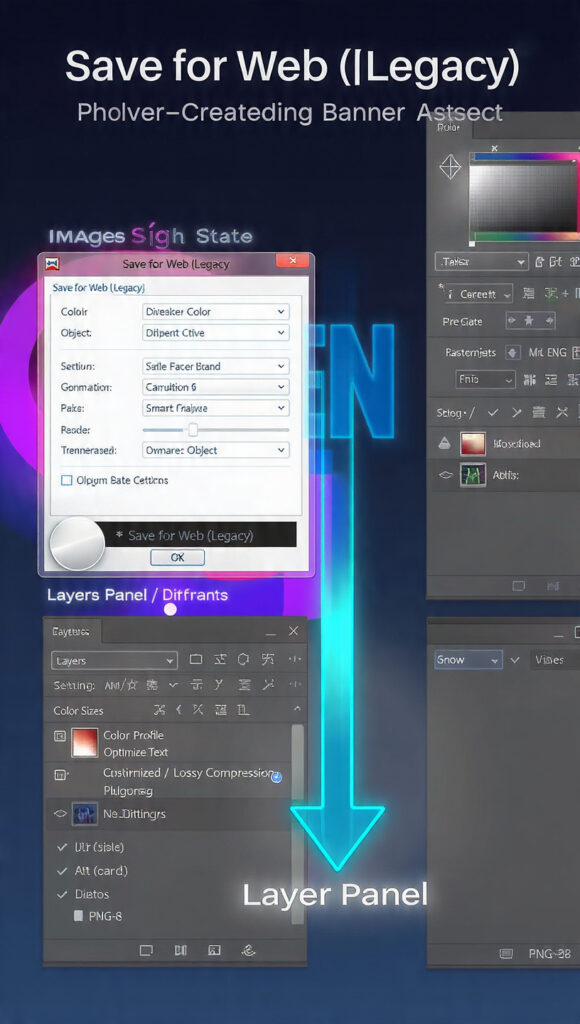
Export for Web is one of the most powerful tools available for the creation of images that are incredibly lightweight. It offers real-time previews of the compression and file size, in contrast to the ordinary export options. Before making a commitment, you will be able to visually compare the quality of the product regardless of the settings. When the quality loss is just noticeable, designers can fine-tune compression until it reaches that point, at which point they can take a step back. The utilization of this method guarantees the best possible equilibrium between clarity and performance.
Choosing the Appropriate Format for Your Files
The size of the file is significantly affected by the format that is chosen. The JPEG format is perfect for advertisements that feature a lot of gradients or photographs, whereas the PNG-8 format is more suitable for flat graphics with fewer colors. PNG-24 is capable of producing high-quality images, but it frequently exceeds size limits. As a result of its poor compression, GIF is used for static advertisements only infrequently today. To enable designers to select the most effective encoding for each visual style, it is necessary for them to have an understanding of when each format should be used.
Intelligence in the Management of JPEG Compression
There is no linearity in the JPEG compression. It is not possible to save much space by lowering the quality from 100 to 80, but lowering it from 80 to 60 can frequently cut the file size in half with very little influence visible. At a quality level of 60–70%, the majority of display advertisements appear unimpaired. Testing is the primary focus. Side-by-side comparisons are possible with export for Web, which makes it simple to identify the compression threshold at which the quality begins to noticeably deteriorate.
Color Depth Reduction Utilizing the PNG-8 Format
It is very efficient to use PNG-8 for advertisements that have a flat user interface style, logos, and icons. This significantly reduces the file size of the image by limiting it to 256 colors. A significant number of instances are in which users are unaware of this limitation. It is possible for designers to manually control the color palette and dithering settings in order to maintain significant gradients while simultaneously reducing the amount of data. Among the optimization strategies that are utilized in display advertising, this is one of the least utilized.
Deleting Metadata and Profiles That Are Not Visible
It is common practice for Photoshop to incorporate color profiles, metadata, and EXIF data into their exported images. In addition to adding weight that is not necessary, these do not improve the visual quality. Although the majority of this data is removed automatically when exporting for the web, designers should still make sure that any unnecessary information is completely removed. When it comes to performance advertising, every kilobyte counts, and metadata is nothing more than an unnecessary overhead.
Preventing the Disclosure of Unnecessary Information
File complexity is increased when transparency is present. If your advertisement does not require transparency, you should avoid using PNG files that contain alpha channels. The size of a JPEG with a solid background is typically much smaller. It is necessary for the encoder to keep additional data even if the transparent edges are only slight. For the vast majority of display advertisements, transparency does not provide any real benefits and only increases the file size.
Improvements Made to the Text and Typography
Clarity of text is of the utmost importance in small banners. Choose bold, simple typefaces rather than fonts that are intricate and have fine details. A higher resolution is required for thin strokes and decorative fonts to remain legible, which results in an increase in the size of the file overall. When it comes to compression, strong typography allows for lower compression without sacrificing readability. It is a design decision as well as a technical decision when it comes to typography from a performance perspective.
The Sharpening Process Following Downscaling
When images are resized, the sharpness of the image is diminished. A subtle sharpening pass applied prior to exporting results in an improvement in the image’s perceived clarity. Sharpening improves the edges of an image, which enables text and logos to maintain their crispness even when converted to lower quality settings. Because of this, more aggressive compression can be performed without any noticeable degradation. The sharpening process is an essential method for preserving the quality of photographs in small files.
Evaluation of Advertisements in Real-World Settings
Designers frequently evaluate the quality of a product within Photoshop, but actual users see advertisements within browsers and applications. Ads that have been exported should always be tested in actual display environments. There is a possibility that compression artifacts that appear obvious in Photoshop will be undetectable when viewed in context. In contrast, problems with legibility might not become apparent until the actual viewing size is considered. To ensure that optimization decisions are in line with actual performance, real-world testing is performed.
This is the reason why performance design requires a different mindset.
When designing high-performance display advertisements, aesthetics are not the only consideration; efficiency is also an important factor. Every design decision has an impact on the size of the file, the load speed, and the level of engagement. Performance designers are similar to engineers in that they strive to strike a balance between the visual impact and the technical constraints. Traditional graphic design is distinguished from digital performance design by the shift in mindset that is involved.
Small Files as a Means of Gaining a Competitive Advantage
Within the realm of performance marketing, even minor technical advantages can have a significant impact. Advertisements that load more quickly receive a greater number of impressions, a higher level of engagement, and improved conversion rates. When it comes to ad auctions and user attention, brands that prioritize file size optimization gain measurable competitive advantages. In addition to being a necessary technical requirement, small files are also an asset from a strategic standpoint.
Why Having a Strong Command of Export Optimization Is an Essential Skill
The process of export optimization is frequently considered to be a final step; however, it ought to be incorporated into the design process from the very beginning. Better advertisements are produced more quickly by designers who have a solid understanding of compression, formats, and visual perception. In addition to delivering consistently high-performing assets, they prevent the painful redesigns that are caused by size limits. It is just as important to be able to design in the modern digital advertising industry as it is to be able to export effectively.