How to Clean Up Dirty Product Photos: Removing Scratches and Dust from Reflective Plastic Surfaces
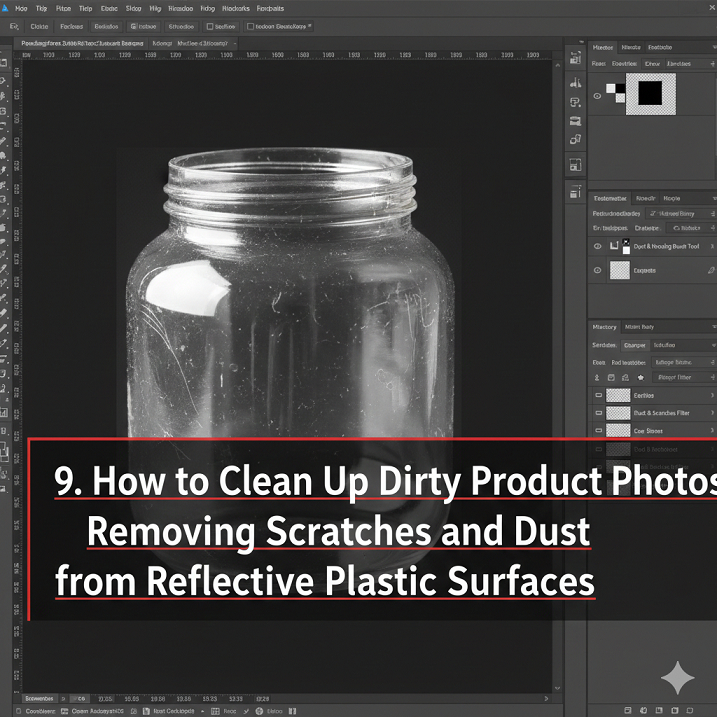
How to Clean Up Dirty Product Photos: Removing Scratches and Dust from Reflective Plastic Surfaces
In many cases, flaws that are not visible to the naked eye are brought to light by product photography. In the event that the image is viewed at its maximum resolution on a screen, any imperfections such as dust particles, fine scratches, fingerprints, and surface scuffs become extremely noticeable. When it comes to reflective plastic surfaces, such as those found on electronic devices, packaging, cosmetic bottles, and glossy product casings, this issue is particularly prevalent. Because these surfaces reflect light so strongly, even the smallest imperfections are brought to the forefront. When you clean up these imperfections in Photoshop, you are not trying to deceive anyone; rather, you are trying to present the product in the same way that it would appear under ideal conditions in the real world. Customers receive a message of quality, care, and trust when they see an image that has been professionally retouched.
This is the reason why retouching reflective plastic is so difficult.
Surfaces made of reflective plastic present a challenge due to the fact that they combine continuous gradients with distinct highlights. Due to the fact that any dust or scratch will disrupt these gradients, retouching errors will be particularly noticeable. Reflective plastic, in contrast to matte surfaces, reveals light sources, studio reflections, and details about the environment. This indicates that the original lighting pattern must be maintained throughout each and every retouch. The appearance of the surface is immediately altered to appear fake if the highlights are distorted or the shadows are flattened. For retouching to be successful, it is necessary to preserve natural reflections while covering up imperfections in a way that is undetectable.
Gaining a Closer Look Without Losing Your Perspective
Working at high zoom levels, typically between 100 and 300 percent, is the first step in successfully cleaning up effectively. You are able to see even the smallest imperfections clearly and remove them with pinpoint accuracy. However, if you zoom in and out continuously, you might find that you lose track of the bigger picture. It is essential that retouching always strike a balance between micro-level precision and macro-level realism. Additionally, it is essential to zoom out on a regular basis and determine whether or not the surface still appears natural. In many cases, excessive retouching at high zoom results in results that appear plastic and have an artificial feel to them.
Beginning with a non-destructive approach from the day one
Without fail, a non-destructive workflow is the starting point for any professional retouching job. In order to accomplish this, you will need to either duplicate the background layer or work on a new empty layer that is set to sample from all layers. Through the use of non-destructive editing, you are able to undo, adjust, and refine your image without causing any damage to the original. It is especially important to keep this in mind when dealing with reflective surfaces because it is difficult to correct errors once pixels have been permanently altered. In addition, a layered workflow enables you to compare the results as they were before and after, thereby ensuring that the level of realism is maintained.
Dust and other minor imperfections can be treated with the Spot Healing Brush.
When it comes to removing specks, isolated marks, and even very small dust particles, the Spot Healing Brush is the perfect tool. In order to function, it takes a sample of the surrounding texture and then blends it into the area that has been selected. When working with reflective plastic, the best results are achieved by using brushes with small sizes and soft edges. For optimal results, it is essential to work slowly and refrain from dragging the brush across large areas. Micro imperfections, as opposed to long scratches or complex reflections, are the things that should be treated with spot healing.
Utilizing the Healing Brush Tool to Repair Scratches In the Surface
When dealing with long scratches, the Spot Healing Brush does not provide the necessary level of control. Manually selecting a clean source area is something that can be done with the standard Healing Brush. When this is done, it guarantees that gradients and reflections will remain consistent. When working with glossy surfaces, it is important to select the source point along the same reflection line or highlight curve as the surface being worked on. Consequently, this ensures that the lighting is consistent and prevents any visible retouch patterns. It is not the objective to remove the scratch; rather, it is to reconstruct the surface in a manner that is realistic.
Applying the Clone Stamp to Reflections That Are Hard
Certain flaws manifest themselves directly within the strong reflections or sharp highlights of an image. Healing tools may cause the reflection to become distorted or blurry in these situations. Given that it replicates pixels in an exact manner, the Clone Stamp tool is the more suitable option. Through the process of cloning small sections of clean reflection, it is possible to precisely reconstruct damaged highlights. A low opacity should typically be maintained, and the application should be done in multiple passes. Because of this, gradual blending is possible, and sharp edges are avoided.
Maintaining the Surface Gradients
The light that falls off of reflective plastic frequently results in the formation of subtle gradients. If these gradients are not preserved during the retouching process, the surface will appear flat. Avoiding large uniform patches of cloned texture is the proper way to go about this. In its place, retouching ought to be done in accordance with the natural flow of light across the object. Tonal transitions can be maintained with the assistance of tools such as the Healing Brush and the low-opacity Clone Stamp. In order to achieve realistic product retouching, one of the most important aspects to consider is the preservation of gradients.
Through the use of frequency separation, texture can be separated from tone.
The technique of frequency separation can be of great assistance when dealing with complex surfaces that have issues with both texture and lighting. By using this method, the image is divided into two layers: one layer with a high frequency for texture, and another layer with a low frequency for color and tone. It is possible to remove dust and scratches from the texture layer without having an effect on the lighting there. It is possible to correct uneven shading on the tone layer without affecting the surface detail. This method provides precise control and is utilized extensively in the field of professional retouching for beauty and aesthetic purposes.
Smoothing Without Giving the Appearance of Being Fake
When it comes to cleaning reflective plastic, one of the most significant dangers is over-smoothing. The removal of natural microtexture, which is caused by excessive blurring or aggressive retouching, gives the surface an artificial appearance. Genuine plastic is characterized by minute flaws and a more refined texture. The goal is not to create a surface that is completely flawless; rather, it is to eliminate flaws that are distracting. In order to maintain realism and prevent the image from appearing to have been generated by a computer, it is important to leave a small amount of natural variation.
Handling Smudges and Fingerprints, respectively
Scratches and fingerprints are more complicated than dust because they have an effect on both the texture and the tone of the surface. Instead of appearing as distinct marks, they typically take the form of soft cloudy areas. The Healing Brush and a Clone Stamp with a low level of opacity should be used in conjunction with one another to remove these. There are situations in which gentle dodging and burning can assist in rebalancing the brightness. The most important thing is to avoid creating flat patches and to match the reflection patterns of the surrounding area.
Confronting the Unforgiving Reflections of the Studio
Occasionally, the reflections themselves are the source of the problem. Highlights that are blown out or shapes that are distracting can be caused by light sources. While these are technically part of the photo, they can reduce product clarity. These can be softened using Curves, masked adjustments, or gentle cloning. However, reflections should not be completely removed. They are what give reflective plastic its realistic appearance and dimensionality.
Using Adjustment Layers for Final Polish
Once all physical defects are removed, adjustment layers help unify the surface. Subtle contrast adjustments enhance clarity. Slight color correction removes unwanted color casts from studio lighting. These global adjustments should be subtle and masked where necessary. The goal is to enhance the product without altering its true appearance.
Checking the Image at Multiple Resolutions
A professional retouch must look good at all sizes. After finishing, the image should be reviewed at full resolution and at smaller export sizes. Some imperfections only appear when zoomed out, while others only show at 100%. Checking multiple resolutions ensures that no retouch artifacts are visible to customers on websites or marketplaces.
Why Clean Product Images Increase Conversions
Customers associate image quality with product quality. Dirty or scratched images subconsciously signal poor manufacturing, even if the real product is perfect. Clean images communicate professionalism, attention to detail, and brand reliability. In e-commerce, visuals often replace physical inspection, so retouching becomes part of the customer experience. High-quality images directly influence trust and purchasing decisions.
Retouching as Digital Quality Control
Professional retouching is not about manipulating reality, it is about removing distractions that do not represent the true product. It functions as digital quality control, ensuring that photography limitations do not misrepresent the item. When done correctly, customers perceive the product as clear, premium, and trustworthy. This makes retouching an essential skill in modern product photography and e-commerce design.
Why Mastering Reflective Surfaces Separates Professionals from Beginners
Reflective surface retouching requires technical skill, patience, and visual sensitivity. Beginners often rely on automatic tools and over-smoothing, which leads to unrealistic results. Professionals understand light behavior, texture preservation, and non-destructive workflows. Mastering these techniques allows you to handle high-end product images for electronics, cosmetics, and luxury goods. This level of control is what distinguishes amateur retouching from professional commercial work.