How to Rebuild Damaged Old Photos With AI and Manual Tools
How to Rebuild Damaged Old Photos With AI and Manual Tools
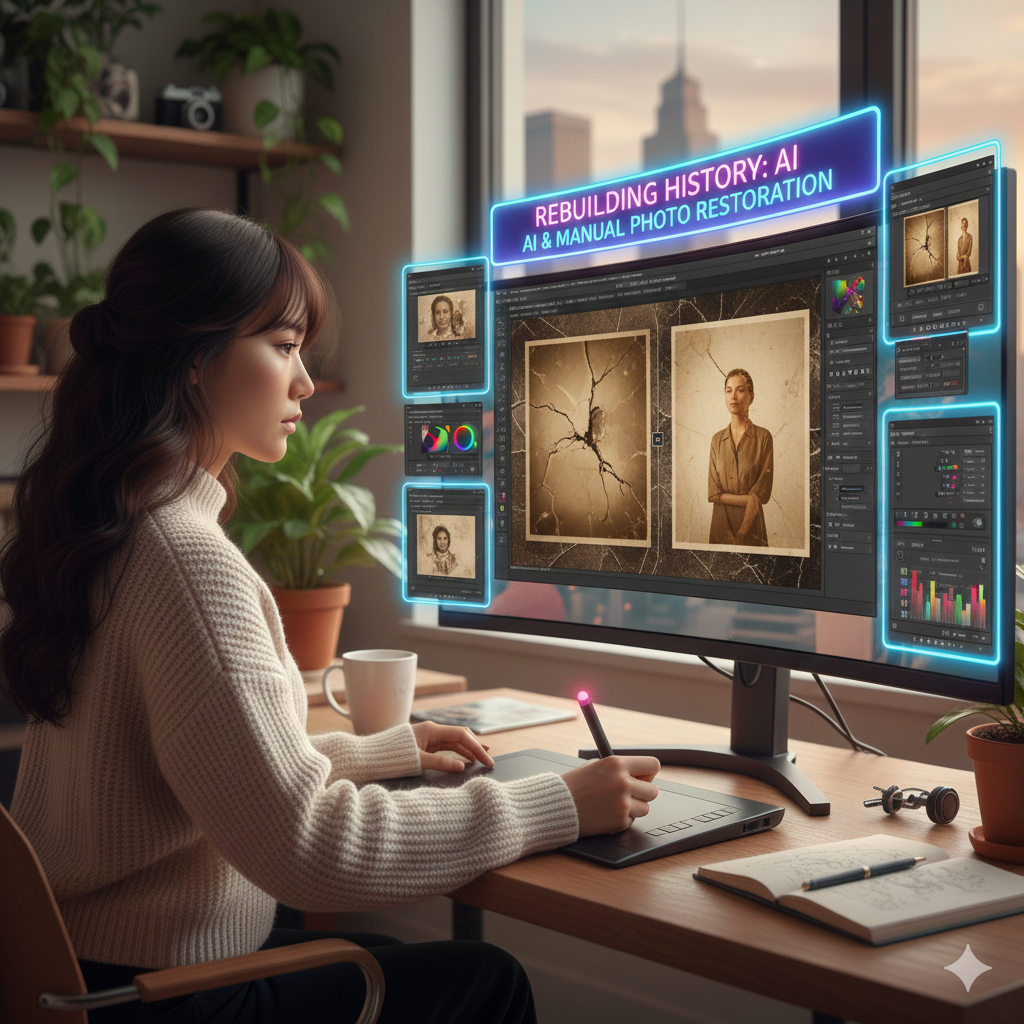
The restoration of ancient images that have been damaged is a complex operation that requires both technical accuracy and artistic judgment throughout the process. Images that have been damaged by tears, scratches, fading regions, or discoloration may make it difficult to see details and reduce the historical or emotional significance of the photograph. Photoshop’s modern processes now make it possible to restore images utilizing a combination of AI-powered tools and classic manual procedures. This allows for restoration to be performed quickly and accurately while yet maintaining the originality of the image.
Acquiring Knowledge about Photo Damage and the Objectives of Restoration
The physical splits, stains, folds, fading hues, and missing areas that plague antique images are only some of the problems that may occur with these photographs. An evaluation of the damage and a determination of the intended result are the first steps in the restoration process. Are you want to completely recreate the details that have been lost, make small improvements to the tones that have faded, or a mix of the two? Defining objectives guarantees that each phase of the restoration process serves a specific function, so ensuring that the original nature of the picture is maintained while simultaneously enhancing clarity and visual coherence.
Creating a Digital Copy of the Vintage Photograph
It is vital to have a scan of excellent quality. In order to capture every detail, you should make use of a flatbed scanner with a resolution of at least 300–600 DPI. If you are scanning, make sure there is even illumination and very few shadows. You are able to operate in a non-destructive manner while maintaining a reference to the original while working with a clean digital copy, which serves as the basis for both AI-driven and manual restoration.
Utilization of Artificial Intelligence Tools for Initial Damage Repair
Tools in Photoshop that are backed by artificial intelligence, such as the Healing Brush, Content-Aware Fill, and Neural Filters, provide a quick starting point for correcting common problems. Neural Filters have the ability to automatically remove scratches or decrease noise, whilst Content-Aware Fill allows for the intelligent reconstruction of sections that are missing or damaged by evaluating the pixels that are around them. The effectiveness of these techniques is particularly high when used to vast, repeated textures, backdrops, or surfaces that are homogeneous.
Retouching by hand for the most minute details
When it comes to restoring face characteristics, complex textures, or historically important aspects, human procedures are essential. Artificial intelligence programs are capable of handling wide restorations. When it comes to re-creating textures, the Clone Stamp Tool enables accurate reproduction, while the Spot Healing Brush is designed to target microscopic imperfections or dust particles. It is possible to improve control and accuracy by using a graphics tablet, which will result in reconstructions that seem more natural.
Constructing Sections That Are Missing
It is recommended to combine the predictions of AI with hand painting or reference imagery when dealing with photos that are entirely missing areas. A starting point may be provided via Content-Aware Fill, and then patterns, textures, or structural features can be refined or refined further by human modifications. When you are trying to recreate details accurately, it might be helpful to check comparable photographs that were taken during the same time period or context.
The process of repairing faded colors and shifting tones
Color changes and fading are common problems that may occur in older images. To bring back the natural tonal balance, you may use the Curves, Levels, and Hue/Saturation changes, respectively. Revitalizing minor color tones while preserving historical authenticity may be accomplished via the use of gradient maps or selective color modifications. Make adjustments to the brightness and contrast of black-and-white photos in order to improve the depth and detail of the captured image.
Workflow Model with Multiple Layers for Non-Destructive Restoration
Utilise numerous layers to divide the various restoration activities, such as one layer for the removal of scratches, another layer for the correction of colours, and still another layer for the reconstruction of textures. Utilizing this layered technique allows you to maintain flexibility, enabling you to return to certain sections and make improvements to them without having to undo other alterations. Additional enhancements to non-destructive control are provided by Smart Objects and masks.
The use of Texture and Finishing Touches
It may be important to discreetly restore film grain or texture after damage has been fixed in order to integrate the sections that have been repaired with the original portions. Restoring a natural and unified look may be accomplished via the use of noise filters, subtle brushes, or scanned texture overlays. It is important to avoid over-processing the picture, since this might cause it to look too smooth or fake.
Maintaining the Authenticity of Historical Events
Despite the fact that restoration enhances clarity and visual appeal, it is essential to preserve the historical authenticity and integrity. Try to avoid over-colorization or upgrades that aren’t essential and that change the character’s original appearance. Attempting to restore lost elements while maintaining a respect for the historical or emotional context of the photograph is the objective.
Final Examination and Exportation
In order to identify any small discrepancies, ghosting, or strange edges, it is important to check the picture at its maximum quality before exporting it. The master file should be saved in PSD format so that layers, masks, and Smart Objects may be preserved for use in further modifications. You may ensure that your files will be preserved for a long time by exporting copies in high-quality formats such as TIFF or PNG for printing or archiving.
Artificial intelligence (AI) and human accuracy work together to reconstruct damaged vintage photographs. The restoration of photos to their former glory while maintaining their authenticity may be accomplished via the use of automated technologies in conjunction with hand retouching, tonal adjustments, and procedures that are layered. Photographers, archivists, and artists who have mastered this procedure are able to bring back memories, historical documents, and cherished family images from the past with results that are on par with those produced by professionals.