How to Use Photoshop Generative Fill to Create Realistic “In-Situ” Product Mockups for Jewelry
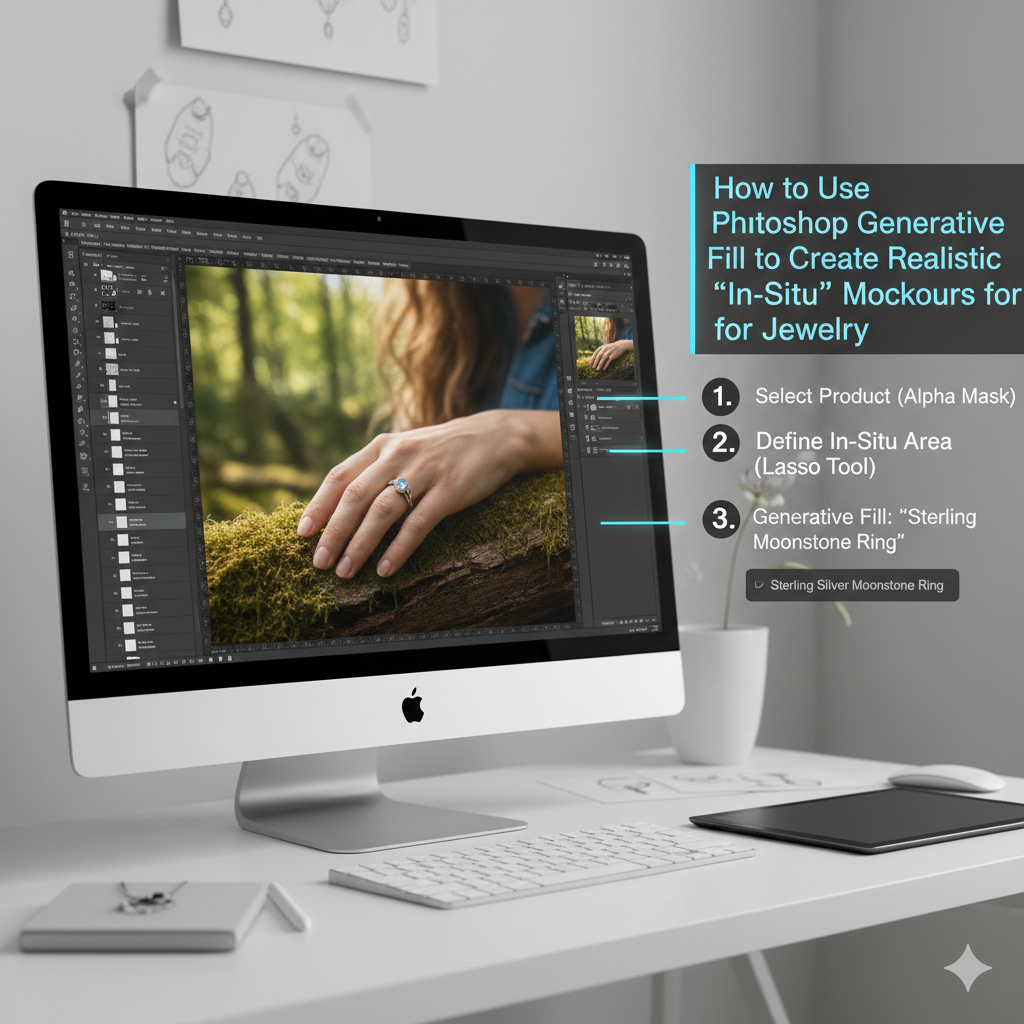
How to Use Photoshop Generative Fill to Create Realistic “In-Situ” Product Mockups for Jewelry
When it comes to selling jewelry online, one of the most critical aspects is taking the time to create accurate product mockups. Images with a pure white backdrop are not very likely to be trusted by customers since they are unable to picture how the item will seem in everyday life. By displaying jewels in natural settings, such as on a model, on a table, or in lifestyle situations, in-situ mockups provide a solution to this challenge. Through the use of Photoshop’s Generative Fill, you are able to produce incredibly lifelike mockups without the need for costly photoshoots, models, or studio settings. Under the right circumstances, it has the potential to convert ordinary product photographs into high-end marketing pictures that have an air of authenticity, professionalism, and emotional appeal.
Comprehending the Functions That Generative Fill Actually Performs
Generative Fill is a function in Photoshop that is driven by artificial intelligence that generates new visual material depending on the choices you make and the text prompt you provide. The process does not involve only changing the pixels that are already there; rather, it develops whole new picture data that blends in seamlessly with the original photograph. In the case of jewelry mockups, this indicates that you are able to put rings on fingers, necklaces on models, or bracelets on wrists even if the model was photographed against a simple backdrop in the original picture. For the purpose of producing realistic results, the artificial intelligence examines lighting, shadows, perspective, and texture. Because of this, Generative Fill is fundamentally distinct from conventional compositing, which necessitates the use of intricate masking, stock photographs, and human retouching.
When it comes to jewelry sales, why in-situ mockups are so important
In addition to its practicality, jewelry is also a product that evokes feelings. Customers are interested in visualizing how a piece will seem when it is worn, how it will fit into their lifestyle, and how it will feel when it is worn in its intended environment. When it comes to conveying size, beauty, or quality, flat product photos often fail to do so because they lack emotional context. By putting the jewels in situations that are plausible, in-situ mockups are able to establish a psychological connection with the audience. They enhance conversion rates dramatically, as well as building confidence and increasing the perceived worth of the product. When it comes to marketing, realistic mockups are more than simply graphics; they are also instruments for making sales transactions.
Let’s begin with a spotless image of the product.
There is a strong correlation between the quality of the original product picture and the quality of the output that you get from using Generative Fill. The photograph of your jewelry need to have a good quality, be well-lit, and be as clean as is remotely feasible. In a perfect world, it would be photographed on a plain, neutral surface or have a backdrop that is completely see-through. The artificial intelligence will get confused and the level of realism will decrease if there are harsh shadows, reflections, or color casts. With the use of fundamental retouching tools, it is essential to remove any dust, scratches, and other flaws from the image before applying Generative Fill. How convincing your final mockup will be is directly proportional to the quality of the source picture you choose.
The Jewelry Isolation Process Through the Use of Masks and Selections
Before you can put jewelry into a new environment, you must first ensure that it is completely isolated. The process entails making a precise selection around the jewelry by using tools such as the Select Subject tool, the Pen Tool, or by manually masking the jewellery. It is essential to polish the edges, particularly in the areas around stones, chains, and delicate metal features. Any rough edges or backdrop that is left behind will quickly destroy the illusion of realism. Creating a clean cutout is always the first step in creating a great in-situ mockup. The importance of this stage cannot be overstated since Generative Fill constructs everything around your selection, and improper masking results in blending that is not natural.
The process of generating fill in order to create the in-situ environment
Following the process of isolating your jewelry, you will be able to generate a new environment by picking the empty region and using the Generative Fill technique. Through the use of simple language instructions, you are able to make hands, models, tables, cloth, skin, or lifestyle situations. As an example, choosing empty space around a ring and encouraging “a female hand wearing the ring in soft natural light” might generate a result that is more lifelike. The artificial intelligence will construct a context that corresponds to the form, lighting, and location of your jewelry. It is no longer necessary to use stock photographs or engage in complicated compositing thanks to this approach.
Prompts for Making Jewelry Mockups That Are Effective to Write
The level of promptness has a direct impact on realism. Prompts that are vague yield results that are generic, but prompts that are comprehensive give results that are professional. It would be more appropriate to write “elegant female hand with natural skin tones, soft studio lighting, shallow depth of field” rather than just “hand.” Your ability to exert influence over the outcome is directly proportional to the degree to which your prompt is specific about lighting, mood, style, and surroundings. A considerable improvement in output may be achieved by noting realism, lighting softness, luxury style, and photographic detail while dealing with jewelry. Prompt engineering evolves into a creative ability that takes the place of conventional photographic planning practices.
Lighting and shadows that are in harmony
In mockups, maintaining a consistent lighting scheme is one of the most difficult difficulties. If your jewelry was photographed in a studio with bright lighting, but the scenario that was constructed utilizes natural light that is not very bright, the end product will seem to be false. The Generative Fill algorithm makes an effort to automatically match the illumination, but it is not flawless. There is a possibility that you may need to manually modify the highlights, shadows, and contrast by using Curves or Levels. The use of layers of faint shadows underneath the jewelry helps to firmly establish it within the image. Mockups created by amateurs are distinguished from those created by professionals by their lack of realistic lighting.
Resolving Concerns Regarding Perspective and Scale
Environments that are created by AI may sometimes yield proportions that are inaccurate. It’s possible that your fingers are too big, your neck is too long, or your wrists are curved wrong. The fact that humans are very sensitive to anatomical abnormalities makes this phenomenon particularly obvious when it comes to jewelry. There is a possibility that you may need to manually alter the scale or recreate numerous copies using the transform tools. Instead of floating or seeming to be glued on, the jewelry should be able to fit organically inside the body or scene. When you properly match your perspective, your mockup will have the appearance of being shot rather than manufactured.
Enhancing the Textures of the Skin and Surface
Many times, the skin texture seems to be overly smooth or fake when it is being generated for hands or models. Pores, minor color fluctuation, and natural flaws are all traits that are present in real skin. If you want the produced regions to have a more realistic appearance, you may need to add grain, texture, or even a little bit of noise. In addition, you may improve the depth and contour of your image by using the Dodge and Burn method. For luxury jewelry, the degree of realism in the skin texture has a direct impact on how the quality is regarded. Skin that seems to be made of plastic makes even costly jewelry appear pricey.
Incorporating the Jewelry into the Whole Scene
The jewelry must seem to be a part of the setting, even if the environment itself is attractive. The color temperature, contrast, and sharpness must all be matched for this to be successful. In the event that the backdrop is hazy and blurry, the jewelry should not be too crisp looking. It is expected that the metal reflections will be warm if the lighting in the scene is warm overall. Utilizing adjustment layers to do subtle color grading helps to bring the whole picture together. Mockups created by professionals are not only about positioning items; rather, they are about creating visual harmony.
How to Achieve Realism Through Depth of Field
It is one of the most effective reality signals that depth of field can provide. Almost seldom do real cameras manage to catch everything in perfect sharpness. It is common for Generative Fill to produce backgrounds with a narrow depth of field; yet, your jewelry may retain an artificially pristine appearance. Adding a little bit of blur to the backdrop or altering the sharpness of the focus point may assist resemble actual photography. This is of utmost significance when it comes to lifestyle photographs, when the emphasis should be placed on the jewelry rather than on each and every accessory in the backdrop.
Developing a Number of Different Variations for Marketing
Acceleration is one of the most significant benefits that Generative Fill offers. Within a matter of minutes, you are able to develop various settings for the same product. It’s possible for a ring to seem different on various hands, depending on the lighting circumstances or the lifestyle choices that are being made. You are able to develop whole product galleries without having to do fresh photoshoots thanks to this. Your brand will have a visual identity that is both consistent and diversified if you employ these variants across many platforms, such as websites, social media, advertisements, and marketplaces.
Avoiding the Most Frequent Errors in AI Mockups
An overuse of artificial intelligence without any manual refining is the most typical error. Because designers tend to rely on the first outcome that is created, many mockups seem to be false. Artificial intelligence often results in minor distortions, unnatural anatomy, or lighting that is uneven. An other error is the use of generic prompts that result in visuals that seem to be stock. Last but not least, a lot of designers often forget about the brand identity and end up creating situations that are not in line with the company’s aesthetic. Visual judgment is not a substitute for the use of Generative Fill; rather, it is a tool.
Why Jewelry Brands Should Consider Generative Fill as a Game-Changing Technology
Using Generative Fill dramatically alters the way that jewelry companies approach the imagery of their products. In addition to preserving the excellent visual quality, it eliminates the price barrier that is associated with professional photoshoots. Without having to spend a lot of money, smaller firms are now able to compete with premium brands in terms of appearance. In addition to this, it makes it possible to conduct creative experiments on a large scale. Instantaneous testing of new ideas, settings, and visual styles is one of the capabilities of designers. As a result, product mockups are transformed from a manufacturing constraint into a benefit for creative purposes.
What Makes In-Situ Mockups a New Creative Skill to Own and Use
Utilizing Generative Fill in an efficient manner is not only a technical endeavor; rather, it is a creative discipline. To be successful in photography, you need to have knowledge of lighting, composition, branding, and consumer psychology. Rather than the creation of spectacular AI graphics, the objective is to generate product visuals that are credible and give the impression of being genuine to buyers. When it comes to e-commerce, branding, and digital marketing, designers who are able to grasp in-situ mockups have a significant competitive advantage. When it comes to the new product landscape, realism is no longer about cameras; rather, it is about how effectively you can lead artificial intelligence to act like a camera.