The Security Risks of Third-Party Clipboard Managers and How to Restrict Their Memory Access
The Security Risks of Third-Party Clipboard Managers and How to Restrict Their Memory Access
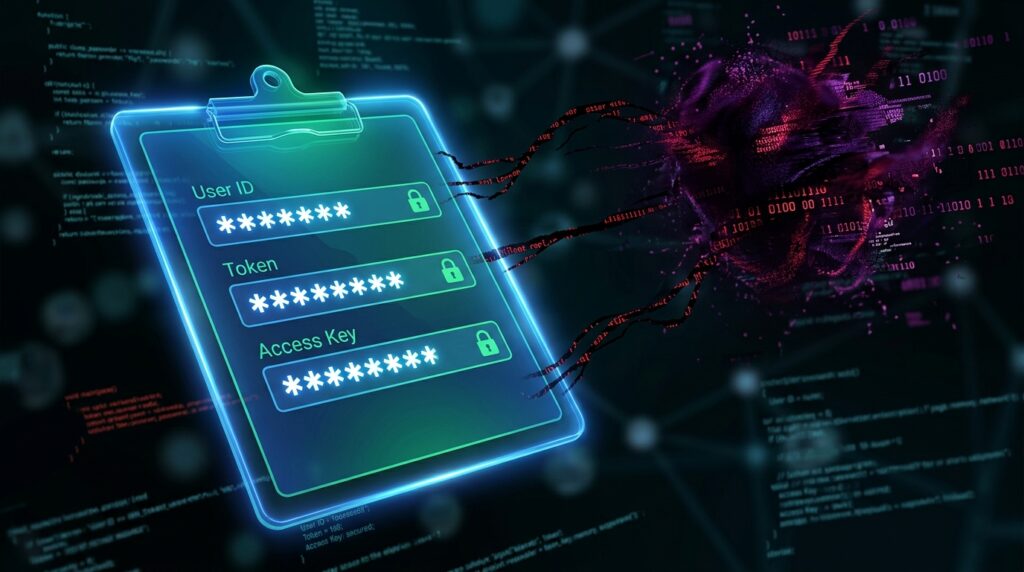
Because they expand the limited copy-and-paste capability that is incorporated into current operating systems, clipboard managers have grown more popular in recent years. Instead of keeping simply a single copied item, these solutions save comprehensive clipboard histories, synchronize material between devices, and make it possible to retrieve previously copied text, photos, links, and files in a short amount of time. Clipboard managers, despite the fact that they are useful for increasing productivity workflows, furthermore provide substantial security threats due to the fact that they continually monitor and store extremely sensitive information inside the memory of the system. The clipboard may be used to copy and paste a variety of sensitive information, including passwords, authentication tokens, financial data, private documents, and personal messages, without the users being aware of the extent to which this information is being permanently stored. In order to work properly, third-party clipboard managers sometimes need extensive interaction with the operating system as well as wide rights to access memory. This makes them appealing targets for attackers and possible sources of privacy exposure. When it comes to maintaining a safe computing environment without completely losing workflow speed, it is vital to have a solid understanding of how these tools interact with memory and how to limit their access.
Gaining an Understanding of the Functions of Clipboard Managers
A clipboard manager is able to perform its function by continually monitoring the activities on the clipboard in the background. The program will intercept the clipboard event whenever content is copied, and it will save the copied data into its own memory structures or within a local database. With more complex clipboard solutions, you may be able to automatically classify entries, index searchable history, synchronize material with cloud services, or offer scripting and automation capabilities. These programs stay active at all times and keep permanent hooks into the clipboard APIs of the operating system in order to enable rapid access to duplicated content. As a result of the fact that they function at such a low level, clipboard managers often get access to a substantial quantity of user activity that is occurring concurrently across numerous programs. This habit of constant monitoring has a number of serious security problems in addition to the convenience it provides.
Reasons Why Data from Clipboards Pose a Threat to Security
Users regularly find themselves in possession of very sensitive information that they have no intention of storing permanently on the clipboard. For the sake of convenience, password managers, banking websites, cryptocurrency wallets, administration consoles, and authentication systems often depend on temporary clipboard transfers. The archiving of this information by clipboard managers might result in sensitive data being in memory for a considerable amount of time after it was first meant to be used. With the ability to recover saved passwords and private information straight from clipboard history, attackers who have compromised the clipboard program or gained access to the local system may do so. Clipboard data, in contrast to files that are explicitly stored, is often ignored during security audits. As a result, it is an appealing target for data theft and surveillance that is not permitted.
Accessing System Memory Through Clipboard Tools Provided by Third Parties
It is necessary for clipboard managers to have wide memory access because they continually monitor the interactions between different processes using the clipboard. A great number of apps either insert monitoring hooks into the operating system or retain privileged background services that are able to retrieve clipboard data from several programs that are currently executing. Within local databases or temporary cache files, some programs also save clipboard history in an unencrypted format. Automatic storage of clipboard data in cloud infrastructure or transmission of clipboard contents across networks are both possible in sophisticated synchronization setups. As a result of the fact that these tools interact significantly with memory and process communication systems, vulnerabilities inside the clipboard manager itself have the potential to reveal a great deal more information than users anticipate.
The Perilous Effects of Continually Using Clipboard Histories
Continuous clipboard storage significantly expands the window of opportunity for the disclosure of sensitive information. If you copy a password for the purpose of logging in, it may stay available in the clipboard history for many weeks or months after the fact. Over the course of time, it is possible for archived clipboard records to include a quiet accumulation of information such as security recovery codes, sensitive communications, internal corporate papers, and even financial account details. Clipboard manager may keep separate copies of the information for an unlimited amount of time, even if the original source program deletes or protects the information in the appropriate manner. since of this persistence, there is a long-term danger since it is possible for attackers or unauthorized users to retrieve past data that the user believed had already faded away from memory.
Cross-device exposure and cloud synchronization are two options.
Synchronization functions are included in many current clipboard managers. These features allow users to exchange their clipboard history across various devices for convenience. Clipboard contents go via external servers or network channels, which means that this capability, although beneficial for increasing efficiency, also presents extra attack surfaces. There is a possibility that sensitive information that has been duplicated on one device may become automatically accessible on another machine that has less robust security controls. In the event that synchronization services are breached, it is possible for attackers to remotely intercept clipboard histories. Syncing across several devices also makes it more difficult to exercise control over the location of personal data in the end. Prior to enabling cloud-connected clipboard functionality, it is very important to have a solid understanding of how synchronization works.
Limiting the Permissions and Access to the Clipboard Manager Restrictions
When it comes to minimizing the dangers associated with clipboards, one of the most efficient methods is to restrict the rights that are allowed to third-party clipboard programs. Clipboard managers should not have unfettered administrative access; rather, they should conduct their operations with the least amount of rights possible. When it comes to the clipboard manager’s capacity to communicate with unrelated processes, systems that offer application sandboxing or permission isolation may be of great assistance. A further method for reducing persistent exposure is to disable startup integration in situations when continuous monitoring is not required. In order to further decrease the possibility of illegal synchronization or external data transfer, it is possible to restrict network access for programs that save clipboard information. Careful control of permissions may considerably cut down on the attack surface that is connected with these technologies.
The Implementation of Secure Clipboard Exclusion Procedures
There are a lot of password managers and programs that are focused on security that include features that are meant to prevent critical information from being permanently stored in the clipboard. It is possible to greatly decrease the exposure window for secret data by using automatic clipboard cleaning after small time periods. Additionally, several programs either identify copied data as non-persistent or completely prohibit access to the clipboard for third-party applications. In situations when they are managing authentication credentials or financial information, users should give these precautions the highest priority. As a supplementary measure to limit the possibility of long-term clipboard exposure, it is important to avoid making superfluous copies of sensitive information. By using the clipboard as a method for transient transfer rather than a permanent storage site, processes that are concerned with security use the clipboard.
Selecting Clipboard Managers That Have Extremely Robust Security Designs
When it comes to security, not all clipboard managers provide the same amount of protection. Clipboard databases that are encrypted, secure memory management, flexible retention rules, and unambiguous permission restrictions are all features that are implemented in programs that have been thoughtfully built. With an emphasis on security, clipboard tools may additionally offer the automated exclusion of password fields or sensitive programs from monitoring in their entirety. Improperly built utilities, on the other hand, often put convenience ahead of privacy and keep clipboard history in plain text. Before incorporating clipboard software into professional or sensitive contexts, it is essential to do a thorough evaluation of the computer’s security architecture. One of the most important indicators of reliable clipboard management software is its transparency with relation to the various data handling techniques.
Ensuring Constant Awareness of Clipboard Security Over the Long Term
During ordinary usage, copy-and-paste operations seem to be transitory and innocuous, which leads to the common oversight of clipboard security. Clipboard managers, on the other hand, are able to alter fleeting data via the use of permanent archives that may even survive the original context totally. For the purpose of minimizing exposure that is not required, it is crucial to have a constant awareness of the information that the clipboard contains. The regular wiping of clipboard history, the limitation of retention periods, and the auditing of installed clipboard utilities all contribute to a stronger control over sensitive information throughout the maintenance process. In order for users to maintain the advantages of productivity while simultaneously greatly increasing the entire system’s security and privacy, it is necessary for them to have a knowledge of the hazards connected with third-party clipboard monitoring and to install suitable limits.