Mapping Your Motherboard’s USB Controllers to Prevent Bandwidth Bottlenecks with Multiple Peripherals
Mapping Your Motherboard’s USB Controllers to Prevent Bandwidth Bottlenecks with Multiple Peripherals
USB connectivity is very important for modern workstations and gaming systems since it allows for the connection of a wide variety of peripherals, including storage devices, audio interfaces, cameras, capture cards, external drives, wireless receivers, virtual reality equipment, and many more. Internally, the USB design of a motherboard is far more complicated than many people believe, despite the fact that USB looks to be straightforward from the user’s point of view. It is common for many physical ports to share the same internal USB controller, bandwidth lane, or chipset channel. This means that excessive activity from one item might immediately influence the performance of other electronic devices that are connected in close proximity to it. It is possible for users to suffer unexpected disconnects, audio dropouts, camera instability, storage slowdowns, or inconsistent device behavior when the number of peripherals increases. This is the case even when the hardware itself is operating perfectly. The majority of the time, problematic USB controllers are the source of these issues, rather than faulty peripherals. When it comes to designing reliable multi-device scenarios and minimizing hidden throughput bottlenecks under demanding workloads, it is crucial to have a solid understanding of how motherboard USB controllers are mapped and how bandwidth is allocated among ports.
Acquiring Knowledge on the Operation of USB Controllers
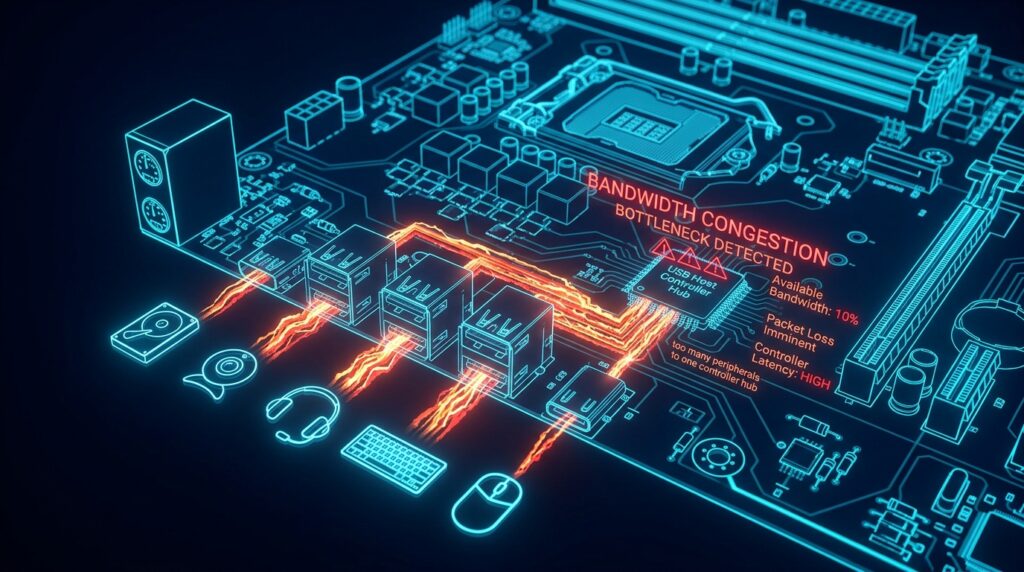
Managing communication between the operating system and attached USB devices is the responsibility of a USB controller, which is a component of the hardware. For the most part, numerous physical ports are grouped together under common internal controllers that are linked by the motherboard chipset or CPU channels. This is in contrast to the traditional method of running each port separately. The controller is responsible for allocating bandwidth, scheduling data transfers, and managing power for all of the concurrently connected devices. It is possible for many external ports to compete for the same controller resources, even if they seem to be physically distinct on the front case connections or the rear panel, depending on the architecture of the motherboard. One of the key reasons why USB bottlenecks develop when there is a large load on the peripherals is because of this shared hardware design.
Reasons Why the Positioning of Physical Ports Can Be Deceptive
It is a common misconception among consumers that every single USB port on a motherboard has independent bandwidth capability; however, this is not always the case. Particularly on consumer-grade motherboards that are geared for cost effectiveness, adjacent ports are often linked to the same controller hub on the motherboard’s internal circuitry. Additionally, front-panel USB headers may share bandwidth routes with rear ports or integrated devices like Bluetooth and wireless adapters. This may occur in either direction. As a consequence of this, attaching many high-bandwidth peripherals to neighboring ports might cause the shared controller to become overloaded, even while the overall system resources are still accessible. When it comes to device distribution, having a solid understanding of the underlying grouping structure that lies underneath physical port layouts is very necessary.
How Devices with High Bandwidth Cause Bottlenecks in the System
Although all USB devices need the same amount of bandwidth, not all of them do. The throughput requirements for keyboards and mouse are very low, however the data streams generated by external solid-state drives (SSDs), capture cards, high-resolution cameras, audio interfaces, and virtual reality (VR) systems do not stop. There is a possibility of bandwidth saturation occurring when many bandwidth-intensive devices use the same controller. There is a possibility that storage transfers could become much slower, that audio interfaces will encounter spikes in latency, and that cameras will lose frames or momentarily disconnect. The controller load changes dynamically based on the severity of the task, which is the reason why these symptoms often occur intermittently. In order to avoid these hidden resource conflicts, precise mapping of device distribution is important.
What Makes Chipsets and CPUs Different in Terms of Their USB Lanes
Depending on the specifications of the platform, modern motherboards may transport USB communication either via the chipset or directly through the CPU. Due to the fact that they circumvent some chipset constraints, CPU-connected USB controllers often provide reduced latency and more direct bandwidth access. Chipset-connected ports, although maintaining their high-speed capabilities, are required to share bandwidth with other devices on the motherboard, including expansion slots, storage controllers, and networking. It is possible for this shared chipset connection to contribute to congestion on severely loaded systems when there is simultaneous peripheral activity from several devices. Users have the ability to prioritize key devices more efficiently when they have a better understanding of which ports are directly related to CPU lanes as opposed to chipset paths.
The Reasons Behind the Sensitivity of Audio Interfaces and Capture Devices
Because they rely on continuous low-latency data streams, real-time peripherals like USB audio interfaces and video capture devices are particularly susceptible to controller congestion. This is because these peripherals are dependent on those data streams. Even very minor delays in the transport of data might result in audible crackling, drift in synchronization, missed frames, or instability in the recording. Shared controllers with high-speed storage transfers or camera feeds often result in poor performance from these devices. Real-time peripherals, in contrast to basic input devices, are unable to endure strong bandwidth fluctuations or delayed packet scheduling. During professional audio, streaming, or video creation workloads, isolating these devices onto separate USB controllers results in a considerable improvement in stability.
The Identification of Controller Layouts Through the Use of Device Mapping Tools
Operating systems and diagnostic tools have the ability to show the methodology behind the assignment of USB devices to motherboard controllers on the motherboard. Users are able to determine which ports use the same bandwidth routes by using device management tools that show controller hierarchies, root hubs, and related peripheral links. Users are able to construct an accurate map of the USB architecture of the motherboard by monitoring controller assignments while transferring devices between ports. The fact that this technique permits intentional device placement rather than depending on random port utilization makes it especially useful for systems that include a large number of high-bandwidth peripherals.
Distinguishing High-Load Devices Across Controller Organizations
After gaining an understanding of the controller structure, devices may be strategically arranged in order to alleviate congestion within the system. The best practice is to cluster high-bandwidth peripherals on nearby ports rather than placing them on separate controllers whenever it is practicable to do so. It is not appropriate for capture cards or professional audio gear to act as direct competitors with external storage devices that are capable of undertaking continuous transfers. Keyboards, mouse, and wireless dongles are examples of low-bandwidth peripherals that may share controllers with no effect. This is due to the fact that their data needs remain very tiny. When faced with rigorous multitasking conditions, thoughtful distribution helps to increase overall stability and lowers unexpected behavior in outlying areas.
How Powered USB Hubs and Expansion Cards Contribute to the Process
It is possible to ease controller bottlenecks by using powered USB hubs and PCIe USB expansion cards in situations when onboard resources become overwhelmed. Hubs, on the other hand, continue to be dependent on the bandwidth of the controller to which they are linked. It is possible for hubs of poor quality to contribute extra delay or power instability when used under excessive load. PCIe USB expansion cards provide more considerable benefits than other types of expansion cards since they often have separate controllers that allocate bandwidth specifically for their application. It is common practice for high-end workstations to depend on these extension cards in order to completely separate the core USB infrastructure of the motherboard from the professional audio, storage, and streaming devices.
Stability of the Periphery Over the Long Term maintenance
It is essential to have a solid grasp of both the bandwidth allotment and power distribution throughout the motherboard design in order to achieve stable USB performance. An increase in the number of peripherals increases the likelihood that uncontrolled controller congestion will have an impact on the dependability of the system. For the purpose of maintaining long-term stability, it is helpful to do periodic audits of the location of USB devices, monitor controller consumption, and minimize needless competition for bandwidth. The behavior of the controller scheduling and compatibility with newer devices are both improved by updated chipset drivers and motherboard firmware. Users are able to minimize hidden bottlenecks and sustain more dependable multi-device workstation settings over long periods of high usage by carefully mapping motherboard USB controllers and intelligently spreading peripherals throughout their workstations.