Decoding Windows Event Viewer Critical Error 41: Differentiating Power Supply Drops from Software Crashes
Decoding Windows Event Viewer Critical Error 41: Differentiating Power Supply Drops from Software Crashes
Critical Error 41 in Windows Event Viewer is one of the most often misinterpreted system issues. This is due to the fact that it manifests itself just after an unexpected shutdown, regardless of the real reason. The error itself does not immediately identify the cause of the issue; rather, it only indicates that the system restarted without completing a normal shutdown procedure. This is just the case. Due to the fact that this categorization is so wide, it is possible for the same event entry to be triggered by a variety of different things, including hardware failures, power disruptions, thermal instability, driver crashes, and operating system problems. As a consequence of this, a significant number of users incorrectly identify the problem, therefore replacing components that are not essential or ignoring more fundamental system instability. In order to do correct troubleshooting, it is vital to have a solid understanding of how Error 41 creates itself and how to interpret the events that occur around it. Users are able to discriminate between software-related failures and physical power supply issues more efficiently by evaluating power behavior, crash patterns, and associated Event Viewer logs on their devices.
A Comprehensive Understanding of the Meaning Behind Critical Error 41
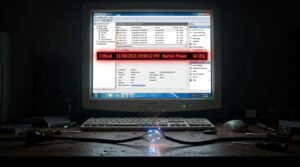
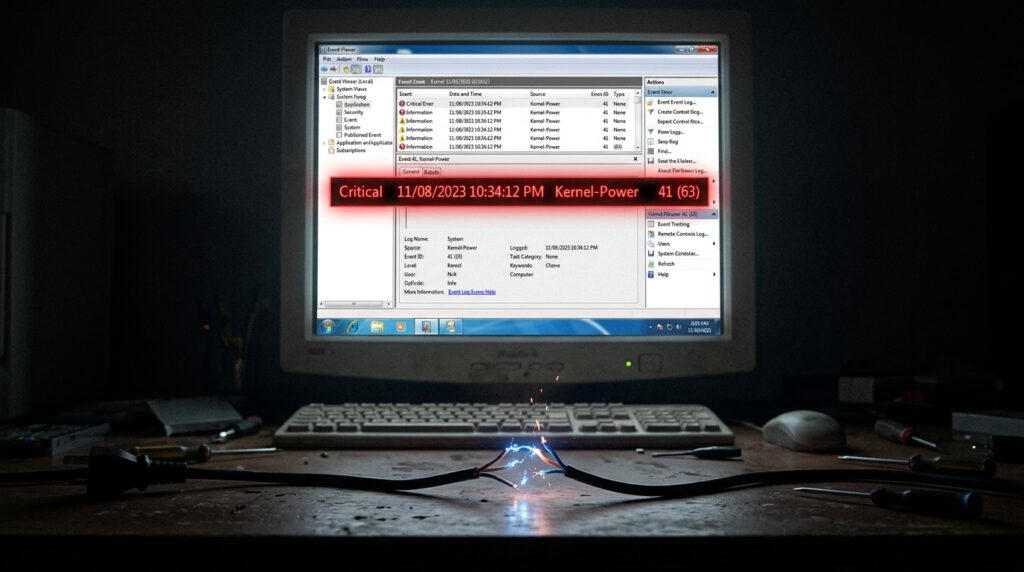
The Windows Kernel-Power system will record Critical Error 41 anytime it determines that the preceding shutdown was abnormal. This occurs whenever the operating system recognizes that the shutdown was abnormal. In most cases, this happens when the power abruptly goes off or when the system freezes and has to be restarted manually. It is important to note that the error does not mention whether the underlying cause was of a software or hardware nature. Additionally, it serves as a signal that Windows was unable to finish the usual shutdown procedure that it normally goes through. Due to the fact that the problem manifests itself after the reboot rather than during the failure itself, it is necessary to interpret it in the context of the events that have occurred in the system and the behavior of the hardware. Due to the fact that Error 41 is often believed to be a straight diagnostic rather than a sign of an underlying issue, it is essential to have a thorough understanding of this restriction.
The Mechanism Behind Error 41 Caused by Power Supply Failures
It is one of the most prevalent hardware reasons of Error 41 that the power supply is known to be unstable. Under load, if the power supply unit is unable to maintain a steady voltage, the system may shut down abruptly and without any prior notice. When the demand on the central processing unit (CPU) and graphics processing unit (GPU) increases fast, such as during gaming, rendering, or other high-power workloads, these occurrences often take place. In extreme circumstances, the computer may restart unexpectedly without displaying a blue screen or any other indicator of a mistake. There are a number of factors that might lead to these shutdowns, including faulty connections, outdated capacitors, inadequate power, and unreliable electrical input. Following a reboot, the Kernel-Power event occurs because Windows is unable to write standard shutdown data due to the fact that the machine loses power simultaneously. Repeated load-related shutdowns clearly signal that the problem is with the power supply at the hardware level rather than a failure in the software program.
The Identification of Software Errors That Cause Error 41
There is a distinct difference in behavior between software-related causes of Error 41 and direct power outages. It is possible for the system to become unresponsive or unexpectedly restart due to conditions such as kernel-level crashes, memory faults, unstable drivers, or corrupted operating systems. In contrast to power supply failures, software crashes might result in the appearance of blue screens, warning messages, or memory dump files prior to the computer restarting. The system may become unresponsive under some circumstances, necessitating a manual restart, which also results in the generation of Error 41. A number of factors, including faulty graphics drivers, problems with the storage controller, and unstable overclocking profiles, are often responsible for these failures. Additional Event Viewer entries and crash logs are often available to assist in determining the underlying cause of program failures. This is due to the fact that Windows continues to be somewhat active during many software failures.
Employing Event Viewer to Conduct an Analysis of Surrounding Logs
To get the most out of the Event Viewer, it is best to examine Error 41 in conjunction with other system logs that are nearby rather than by itself. Warning events, driver failures, disk faults, or thermal shutdown signs that occur just before the critical event often give crucial insights. These events may occur during the critical event. For instance, if the display driver fails many times before Error 41, this might be an indication of GPU instability. Storage-related warnings, on the other hand, could suggest that failed disks or damaged system files are the cause of the problem. In order to differentiate between sudden power outages and progressive software breakdown, the timing and sequence of occurrences are important factors to consider. Due to the fact that the critical event itself includes a limited amount of diagnostic material, it is required to conduct a comprehensive investigation of linked logs.
Learning to Recognize the Signs of a Sudden Power Loss
Software crashes often leave behind different behavioral patterns, while abrupt power disruptions typically leave behind distinct patterns. The majority of the time, when a system experiences a direct loss of power, it shuts down immediately without freezing or showing any errors prior. It is possible that the fans and lights will stop instantly, and if the power stabilizes, the system could have an automated restart. The occurrence of these occurrences is quite common when there is a significant electrical load or when there are rapid variations in the power consumption of components. Unstable wall power, malfunctioning surge protectors, and overheated power supply are examples of external variables that might contribute to the problem in some instances. Because there are no blue screens or software-related warnings, it is most likely that there is a power interruption at the hardware level rather than some kind of problem with the operating system.
Recognizing Indicators of Instability in the Driver or Kernel
Driver instability often results in the production of warning indications prior to the system restarting. System failures that occur at the kernel level often manifest themselves in the form of temporary freezing, graphical corruption, audio looping, or incomplete system responsiveness. It is possible for Event Viewer to capture driver timeouts, application crashes, or service failures that occurred just before Error 41 occurred. Systems that are overclocked are especially susceptible to vulnerabilities because it is possible for unstable voltage or timing settings to create unexpected behavior from the kernel. It is also possible for memory instability to result in inconsistent crashes that are similar to power-related failures. If you want to recognize these patterns, you will need to carefully observe the behavior of the system as well as the diagnostic logs that support it.
How Thermal and Hardware Protection Systems Contribute to the Field
The most up-to-date systems have thermal and electrical protection features that are capable of initiating emergency shutdowns in order to avoid damage to hardware. It is possible that the motherboard may immediately cease power if the central processing unit (CPU), graphics processing unit (GPU), or voltage regulators overheat. This would result in Error 41. Due to the fact that they occur suddenly and without any prior notice, these preventive shutdowns sometimes mimic power supply breakdowns. When attempting to diagnose recurrent shutdown incidents, it is essential to monitor the temperatures of the components while they are under stress. Elevated levels of dust, malfunctioning cooling systems, and inadequate ventilation are all factors that might lead to thermal instability. It is easier to differentiate between purposeful hardware safety shutdowns and random component failures when one has a better understanding of how protection systems function.
Making a Difference Between the Causes Through the Use of Stability Testing
The use of stress testing is one of the most efficient methods for distinguishing between software instability and power management issues in hardware. During strong combined CPU and GPU loads, power-related failures often occur on a constant basis. On the other hand, software crashes may display themselves more sporadically or during the use of a particular program. It is possible to narrow down the cause of the problem by monitoring the voltage stability, temperatures, and crash timing during controlled testing. Memory diagnostics, storage health checks, and driver verification tools are all instruments that may further identify software-related instability. In addition to enhancing the accuracy of troubleshooting, a structured testing methodology eliminates the need for wasteful hardware replacement.
Maintaining the System’s Stability Over the Long Term Following Error 41
To resolve Error 41 incidents that occur repeatedly, it is necessary to address the instability that lies under the surface, rather than concentrating merely on the event itself. There are a number of factors that contribute to long-term stability, including dependable system settings, updated drivers, stable power supply, and adequate cooling. In order to lessen the possibility of future shutdowns, it is important to avoid extreme overclocking, maintain clean airflow, and use quality power components. The consistent monitoring of Event Viewer logs is another method that assists in the identification of developing problems before they develop into major failures. Users are able to more successfully diagnose Error 41 and maintain a more dependable computer environment over time if they have a better awareness of the difference between software failures and hardware power interruptions.