Skip to content
  • Home
  • Windows 7
  • Photoshop
  • Windows 10 Tricks
  • AutoCAD Tips
  • MS Word
  • Corel
  • Terms of Service
  • Privacy Policy
  • Sitemap

Best Tutorials

Best Platform for Educational Tutorials

Primary Menu

Best Tutorials

  • Home
  • Windows 7
  • Photoshop
  • Windows 10 Tricks
  • AutoCAD Tips
  • MS Word
  • Corel
  • Terms of Service
  • Privacy Policy
  • Sitemap
  • Home
  • How To Guides
  • Corel
  • Page 11

Corel

Color depth
  • Corel
  • How To Guides

Navigating the Depths of Color Depth in CorelDRAW: An In-Depth Exploration

James February 12, 2024

Introduction: In the realm of digital design, mastering color is a cornerstone of creating captivating and impactful visuals. CorelDRAW, a...

Read MoreRead more about Navigating the Depths of Color Depth in CorelDRAW: An In-Depth Exploration
Exploring the Depths of Color Models in CorelDRAW
  • Corel
  • How To Guides

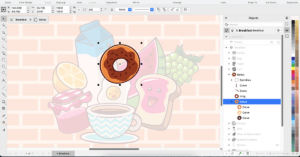
Exploring the Depths of Color Models in CorelDRAW: A Comprehensive Guide

James February 12, 2024

Introduction: CorelDRAW, a powerful vector graphics editor developed by Corel Corporation, stands as a go-to tool for designers and artists...
Read MoreRead more about Exploring the Depths of Color Models in CorelDRAW: A Comprehensive Guide
To bring an object into Focus mode in CorelDRAW
  • Corel
  • How To Guides

Unveiling Design Detail: A Comprehensive Exploration of Bringing Objects into Focus Mode in CorelDRAW

James February 7, 2024

Introduction: CorelDRAW, a flagship software in the realm of graphic design, offers a plethora of features aimed at empowering designers...


Read MoreRead more about Unveiling Design Detail: A Comprehensive Exploration of Bringing Objects into Focus Mode in CorelDRAW

Posts pagination

Previous 1 … 8 9 10 11 12 13 14 … 25 Next
  • Home
  • Windows 7
  • Photoshop
  • Windows 10 Tricks
  • AutoCAD Tips
  • MS Word
  • Corel
  • Terms of Service
  • Privacy Policy
  • Sitemap

Recent Posts

  • Resolving Pen Tablet Pressure Sensitivity Lag and Smoothness Inconsistencies Inside Photoshop Brush Settings
  • How to Automate Watermarking and Copyright Metadata Insertion Across Thousands of Raw Images Using Photoshop Image Processor
  • Fixing Gradient Banding and Color Stepping in Smooth Sky Backgrounds Using the Noise and Dither Technique in Photoshop
  • Managing 3D LUTs and Color Lookup Tables Inside Photoshop for Cinematic Grading Consistency Across Video and Still Exports
  • How to Set Up Non-Destructive Dodge and Burn Workflows Using 50% Gray Fill Layers and Curvature Clipping
  • Blocking Background Telemetry Data Collection Using the Local Group Policy Editor
  • Exporting Multi-Year Cloud Inboxes as Local MBOX Files for Offline Searching and Storage Consolidation
  • Mapping Your Motherboard’s USB Controllers to Prevent Bandwidth Bottlenecks with Multiple Peripherals
  • Auditing Corrupt System Fonts: How Font Cache Bloat Causes Crashing in Creative Software
  • Setting Up an Automated Incremental Backup Rule that Survives Ransomware Network Infiltration
  • Programming Hardware-Level Mouse Macros to Bypass Software Restrictions and Improve Productivity
  • Configuring Chromium Aggressive Tab Discarding to Keep Multi-Window Workspaces Under 4GB RAM
  • Resolving Mismatched Monitor Colors: How to Force ICC Profile Persistence Across System Restarts
  • Transitioning from Proprietary Note Apps to Local Markdown Files for Future-Proof Archiving
  • The Security Risks of Third-Party Clipboard Managers and How to Restrict Their Memory Access

You may have missed

Resolving Pen Tablet Pressure Sensitivity Lag and Smoothness Inconsistencies Inside Photoshop Brush Settings
  • Photoshop

Resolving Pen Tablet Pressure Sensitivity Lag and Smoothness Inconsistencies Inside Photoshop Brush Settings

James November 5, 2026
How to Automate Watermarking and Copyright Metadata Insertion Across Thousands of Raw Images Using Photoshop Image Processor
  • Photoshop

How to Automate Watermarking and Copyright Metadata Insertion Across Thousands of Raw Images Using Photoshop Image Processor

James November 3, 2026
Fixing Gradient Banding and Color Stepping in Smooth Sky Backgrounds Using the Noise and Dither Technique in Photoshop
  • Photoshop

Fixing Gradient Banding and Color Stepping in Smooth Sky Backgrounds Using the Noise and Dither Technique in Photoshop

James November 1, 2026
Managing 3D LUTs and Color Lookup Tables Inside Photoshop for Cinematic Grading Consistency Across Video and Still Exports
  • Photoshop

Managing 3D LUTs and Color Lookup Tables Inside Photoshop for Cinematic Grading Consistency Across Video and Still Exports

James October 30, 2026
How to Set Up Non-Destructive Dodge and Burn Workflows Using 50% Gray Fill Layers and Curvature Clipping
  • Photoshop

How to Set Up Non-Destructive Dodge and Burn Workflows Using 50% Gray Fill Layers and Curvature Clipping

James October 28, 2026
Copyright © All rights reserved. | CoverNews by AF themes.