Disabling ‘Energy Efficient Ethernet’ in Network Adapter Settings to Prevent Random Connection Drops
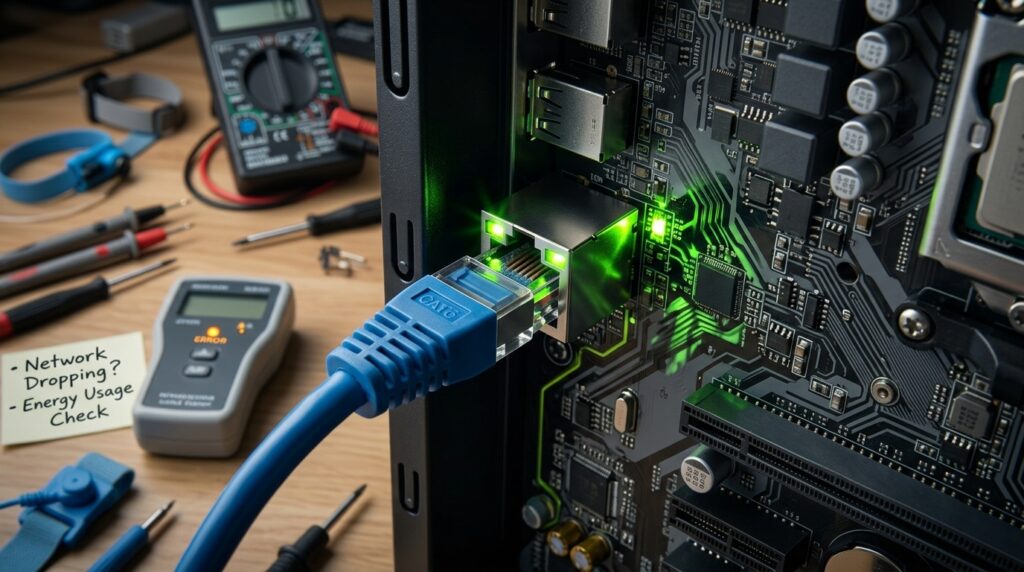
Disabling ‘Energy Efficient Ethernet’ in Network Adapter Settings to Prevent Random Connection Drops
Due to the fact that random network disconnections often occur without any clear hardware malfunction or noticeable internet outages, diagnosing them may be a challenging task. Even when the network gear seems to be in full working order, users may nevertheless encounter momentary disruptions in their connection, delayed reconnections, inconsistent online gaming sessions, missed video chats, or abrupt stops during heavy downloads. The majority of the time, these problems are not associated with the router or the internet provider; rather, they are connected to the power-saving capabilities that are incorporated into the network adapter itself. One option that is often disregarded is Energy Efficient Ethernet, which is a technique that is intended to limit the amount of power that is used at times when there is little activity on the network. Despite the fact that it is practical for reducing energy consumption, this feature has the potential to cause communication instability on some hardware configurations. This is particularly true in situations where drivers or firmware do not handle power-state changes in the appropriate manner. It is possible to stabilize the connection by disabling Energy Efficient Ethernet. This will maintain the network adapter in a condition of constant activity, which will reduce the number of random link disruptions and improve the overall stability of the network.
Gaining an Understanding of the Operation of Energy-Efficient Ethernet
The term “Energy Efficient Ethernet” refers to a power management technique that makes its way into a variety of current network adapters and routers. Its principal objective is to lessen the amount of power that is used by reducing the amount of activity that occurs at network interfaces during times of low data transmission. Instead of continually sustaining full-speed communication, the adapter enters lower power states when traffic falls and returns to full performance once activity resumes. This allows the adapter to provide a more efficient communication experience. It is the network adapter and the linked switch or router that are responsible for coordinating this behavior. If all goes according to plan, these transitions will take place without any obvious interruptions and will be smooth. On the other hand, certain combinations of hardware, drivers that are no longer supported, or anomalies in the firmware might result in delays or unsuccessful wake transitions, which can lead to temporary network instability or lost connections.
Why Features of Power-Saving Networks Can Lead to Unstable Configurations
The continual synchronization of devices is essential to the communication that occurs across a network. In situations when a network adapter undergoes rapid power status changes, even minor delays have the potential to break current connections or the timing of packet delivery or both. The applications that are most vulnerable to these disruptions are those that rely on low-latency communication, such as video conferencing, online gaming, or real-time streaming. In some systems, the adapter may not wake up correctly after entering a low-power mode, which would result in a momentary loss of connectivity until the link begins to renegotiate. These faults are often intermittent, which makes it difficult to identify them since the connection typically repairs itself automatically within a few seconds from the time they occur. Although it is a result of predictable power management behavior, the instability gives the impression of being random.
Symptoms That Are Typically Associated with Energy-Efficient Ethernet
Energy’s influence on several systems Instability in efficient Ethernet communication often manifests itself as recurrent but inconsistent network issues. Users may experience abrupt disconnections from the internet, which resolve themselves without the need for any involvement from the user. When playing online games, you can experience transient latency spikes or momentary connection outages. Similarly, streaming programs might cease suddenly even when there is sufficient bandwidth available. The transmission of large files could pause for a brief period of time before continuing. Random disruptions that are difficult to recreate consistently may occur during voice-over-IP conversations and remote desktop sessions in professional settings. These interruptions can be difficult to reproduce accurately. Users typically blame router troubles or instability on the part of their internet provider rather than the power management settings of their local adapter. This is due to the fact that these issues do not always present themselves as visible error messages.
Power States Management in Windows Network Adapters and How They Work
When it comes to managing energy-saving behavior, Windows network drivers collaborate closely with both the operating system and the adapter firmware. The operating system gives the network interface the ability to minimize activity during times of inactivity, however this ability is contingent on the power plan that is set and the configuration of the adapter. The primary target audience for these power-saving measures is laptops and other energy-conscious situations where it is essential to achieve the lowest possible battery consumption. Desktop computers and other performance-oriented configurations, on the other hand, often get very little in the way of practical benefits from aggressive network power management. Users are able to activate or disable features such as Energy Efficient Ethernet directly inside the operating system by using adapter drivers, which expose these options via advanced device properties.
Controlling the Energy-Efficient Ethernet in a Secure Manner
It is usually considered to be a safe optimization for systems that are experiencing sporadic connection instability to disable Energy Efficient Ethernet functionality. The network adapter, once deactivated, will continue to operate in a fully active communication state rather than switching into lower power modes during times of inactivity. This makes the physical network connection more stable and decreases the likelihood of renegotiation delays or wake failures occurring. Despite the fact that the increase in power consumption is often insignificant on desktop computers, the principal disadvantage is a slightly greater power consumption. There is a possibility that the effect on battery life may be more obvious on laptops, especially during extended periods of wifi idleness. Disabling the functionality often results in a more dependable networking experience for systems that place a higher priority on efficiency than they do on stability.
Drivers, Firmware, and the Relationship Between the Three in Relation to Network Stability
The quality of the application of the network adapter driver and firmware is a significant factor in determining the behavior of energy-efficient Ethernet. There is a possibility that older drivers include defects that cause them to handle low-power state transitions incorrectly or to fail to synchronize properly with cutting-edge routers and switches. It is also possible for discrepancies in the firmware to cause compatibility problems across network devices, which may result in recurrent connection renegotiation experiences. Even while updating drivers and adapter firmware often results in an improvement in reliability, there are some circumstances in which turning off the function totally is still the most dependable alternative. It is helpful to have an understanding of this relationship in order to explain why some systems continue to have persistent disconnections while others continue to function smoothly with the same functionality enabled.
Understanding the Difference Between Router Problems and Adapter Power Issues
Network instability brought on by energy consumption Ethernet that is efficient might be quite similar to routers that are not functioning properly or disruptions in internet service. Nevertheless, a number of behavioral traits contribute to the identification of the source. Adapter-related problems often only impact a single device on the network, as opposed to all of the linked systems taking place at the same time. Additionally, instability may become more obvious after periods of inactivity, despite the fact that the connection often recovers fast and does not need the router to be restarted. It may be possible to determine the root cause of the problem by monitoring connection status logs and testing the system under a variety of adapter power settings. In the event that turning off Energy Efficient Ethernet removes the disruptions, the problem was most likely associated with the power management of the local adapter rather than the architecture of the external network.
Maintaining a Consistent and Long-Term Performance of the Network
Disabling Energy Efficient Ethernet is only one component of effectively managing the performance of a network that is trustworthy. Updating drivers, maintaining stable router firmware, and correctly configuring power plans are all factors that contribute to persistent connection. When it comes to gaming, streaming, remote work, or server operations, it is beneficial to minimize aggressive power-saving practices that create communication delay wherever possible. It is possible to determine if the optimization is successful in permanently resolving the problem by monitoring the stability of the network over time. Users are able to lower the number of unpredictable disconnections and establish a more reliable networking environment for both professional and personal workloads if they prioritize consistent link behavior above minor energy savings.