Setting Up a Local “AI Lab”: How to Run Large Language Models (LLMs) Locally on a Windows PC
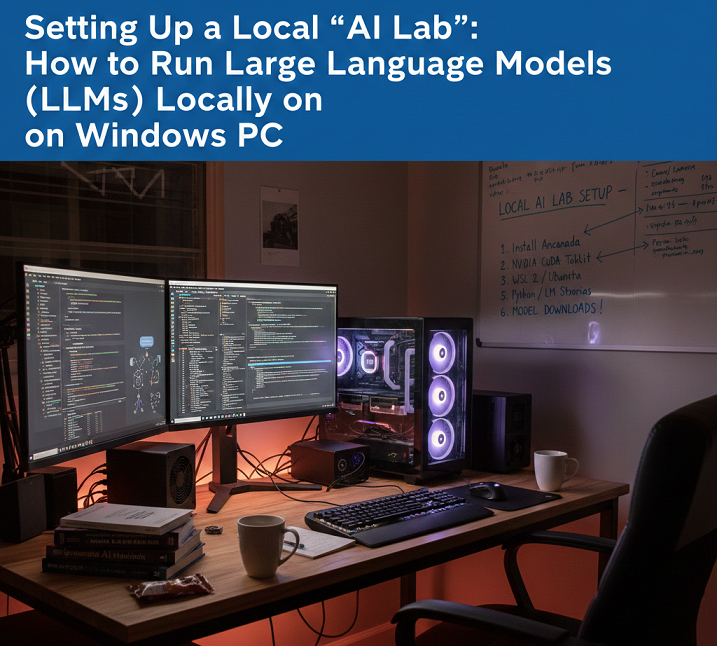
Setting Up a Local “AI Lab”: How to Run Large Language Models (LLMs) Locally on a Windows PC
Recent developments in hardware and open-source artificial intelligence frameworks have made it possible to run large language models (LLMs) locally on a Windows personal computer. This is becoming increasingly feasible. You have the ability to experiment with artificial intelligence without having to rely on cloud-based services when you host an LLM on your own machine. Other benefits include complete privacy, full control over model customization, and the ability to experiment with AI. Establishing a local artificial intelligence lab requires careful preparation, an understanding of the hardware requirements, and knowledge of the appropriate software tools to manage model execution in an efficient manner. This is true regardless of whether you want to fine-tune models, integrate them into local applications, or simply explore the capabilities of AI tools for research and productivity.
Acquiring Knowledge of the Prerequisites for Operating LLMs in a Local Setting
Large language models, particularly those with billions of parameters, require a significant amount of computational resources. In order to run them effectively on a Windows computer, you will typically need a modern graphics processing unit (GPU) with a significant amount of video memory (VRAM) (at least 8 gigabytes), a multi-core central processing unit (CPU), a fast solid-state drive (SSD) storage, and a sufficient amount of random access memory (RAM) to manage input/output operations. Due to the fact that models such as GPT-NeoX, MPT, or LLaMA variants come in a variety of sizes, the hardware requirements will vary depending on the particular model involved. When you have a thorough understanding of these requirements, you can rest assured that your system will be able to run models without experiencing frequent crashes or excessive latency. This will provide a smooth experience for application development and experimentation.
Selecting the Appropriate Application Model for Local Deployment
Choosing an appropriate LLM is of the utmost importance. Certain models necessitate the utilization of cloud-scale graphics processing units (GPUs), but lighter open-source models like GPT-J, MPT-7B, or quantized versions of LLaMA 2 are capable of operating on high-end consumer hardware. Your goals—whether they be research, code generation, or general-purpose chat—guide your decision regarding which model to use. The use of quantized models, which reduce memory usage by lowering precision (for example, from FP16 to INT8), makes it possible for larger models to run on limited VRAM without significantly affecting performance. The selection of the appropriate model guarantees a balance between capability, speed, and the amount of resources that are consumed.
It is necessary to install the necessary AI frameworks.
When it comes to execution, LLMs are dependent on deep learning frameworks such as PyTorch or TensorFlow. The fact that PyTorch is compatible with Windows and there is a large community that supports it has contributed to its widespread popularity. By ensuring that models are able to take advantage of CUDA acceleration for faster inference, it is necessary to install the appropriate version of PyTorch that supports GPUs. When multiple models or libraries are installed on the same system, it is possible for dependency conflicts to occur. Package managers such as conda and pip simplify environment management, which helps avoid these conflicts.
Getting Your Windows Environment Ready to Handle
A Windows environment that is stable is absolutely necessary for the reliable operation of LLMs. The drivers for your graphics processing unit (GPU) should be kept up to date, especially for NVIDIA cards that use CUDA and cuDNN. In order to isolate dependencies for various models, it is recommended that Python environments be configured with great care, preferably by utilizing virtual environments. In order to improve both stability and performance, it is recommended to enable GPU acceleration, set environment variables for CUDA paths, and optimize swap space or pagefile sizes where necessary. A Windows environment that has been adequately prepared will reduce the number of errors, prevent crashes, and guarantee consistent model execution.
Configuring the Model Weights and Downloading the Model Weights
Following the selection of an LLM, you will require the model weights as well as the configuration files. Hugging Face and GitHub are two examples of platforms that are frequently used to host open-source models. When it comes to downloading large models, careful management is required because the file sizes can range anywhere from several gigabytes to tens of gigabytes. The model weights should be stored on fast solid-state drives (SSDs) once they have been downloaded. There are some frameworks that offer automatic weight conversion to a format that is optimized for inference. This helps to reduce the amount of VRAM that is used and speeds up computation, which in turn makes local deployment more feasible.
Operating the Model Effectively on Computer Hardware for Consumers
Optimization strategies are required in order to run a local LLM in an efficient manner. The reduction of memory footprint can be accomplished through a variety of methods, including quantization, mixed-precision computation, and CPU offloading. There are frameworks such as Transformers by Hugging Face that offer utilities for 8-bit or 4-bit quantization. Additionally, there are libraries such as vLLM or Text Generation WebUI that enable efficient batch processing and token generation. By optimizing performance, you can ensure that your local artificial intelligence lab will produce outputs that are responsive, even on machines that do not have GPUs that are designed for enterprise use.
Incorporating Local Applications into the System
Once the model is operational, you will be able to incorporate it into local applications such as chat interfaces, productivity tools, or experimental pipelines. Python-based application programming interfaces (APIs) make it simple to communicate with the model, while graphical user interface wrappers make it possible to test and interact with the model. The ability to experiment without exposing sensitive input or output to cloud servers is made possible by local integration, which provides full control over the privacy of data and the customization of workflows.
Taking Control of System Resources While Attempting to Avoid Bottlenecks
It is possible for LLMs to spend a significant amount of VRAM, CPU cycles, and disk I/O. It is essential to monitor the resources of the system while inference is being performed in order to avoid slowdowns or crashes. Keeping track of GPU usage, temperature, and memory allocation can be accomplished with the assistance of tools such as Windows Task Manager, MSI Afterburner, and NVIDIA’s System Management Interface. It is possible to achieve smooth performance while preserving output quality by optimizing batch sizes, token generation limits, and caching strategies using optimization techniques.
Make use of lightweight interfaces for the sake of convenience.
Lightweight web interfaces or desktop applications, such as Text Generation WebUI, oobabooga, or custom Flask-based front-ends, enable seamless text input, model parameter adjustment, and output visualization. These features are designed to simplify interactions with local LLMs. It is no longer necessary to write Python scripts for each interaction because these interfaces make it easy to experiment with a variety of prompts, evaluate the performance of the model, and save outputs.
Taking Care of and Keeping Your Local Artificial Intelligence Lab Current
It is common practice to perform routine updates on models, frameworks, and libraries in order to enhance performance, address bugs, or add new features. Maintaining compatibility and gaining access to optimizations can be accomplished by regularly updating PyTorch, Hugging Face Transformers, or the model weights that you have selected. When you back up your model configurations and weights, you prevent them from being lost by accident. Additionally, keeping documentation of your setup allows for reproducibility across different machines or after system upgrades.
Identifying and Resolving Common Problems
Some of the most common challenges include errors caused by CUDA, limitations imposed by VRAM, slow token generation, and environment conflicts. Changing the batch sizes, enabling mixed-precision computation, reinstalling dependencies, or switching to quantized models are all potential solutions to these problems. An approach to troubleshooting that is methodical ensures that the operation is stable and prevents interruptions during the process of integrating workflows or conducting experiments.
Advantages of Operating Locally Based LLMs
Operating LLMs in the local area provides a number of advantages. By doing so, you are able to keep full control over your data, reduce your reliance on cloud subscriptions, and acquire the ability to freely experiment with prompts, fine-tuning, or integrations. It is also possible for local models to provide faster inference for personal projects in situations where network latency would otherwise slow down cloud-based services. Furthermore, local models are ideal for sensitive applications in which privacy is a leading concern.
Increasing the Capacity of Your Local Artificial Intelligence Lab to Meet Future Demands
You are able to scale your local artificial intelligence lab as your experiments expand by adding graphics processing units (GPUs), utilizing NVLink for multi-GPU setups, or connecting to a local server cluster. Through the utilization of frameworks that are capable of supporting distributed inference, it is possible to execute larger models in an effective manner. By planning for future scalability, your laboratory will be able to expand in tandem with your artificial intelligence exploration, allowing it to accommodate more complex tasks or larger datasets without the need for cloud resources.
A Few Closing Reflections on a Windows-Based Artificial Intelligence Laboratory
Creating a local artificial intelligence lab on Windows gives users the ability to independently run LLMs, experiment with AI models, and keep complete control over the workflow and data throughout the process. It is possible to create a powerful environment that is capable of managing complex language models if you pay careful attention to the configuration of the hardware and software as well as implementation of optimization strategies. Without having to rely on cloud-based solutions, this configuration makes it possible to learn, create content, receive assistance with coding, and conduct research. Additionally, it guarantees privacy, reliability, and flexibility.